
ANJEL Tech
PLURIBUS Inc.Communication
3.831.00 Reviews
- Version
- 1.1.9
- Installs
- 10.00K
- Age Rating
- Everyone
Screenshots
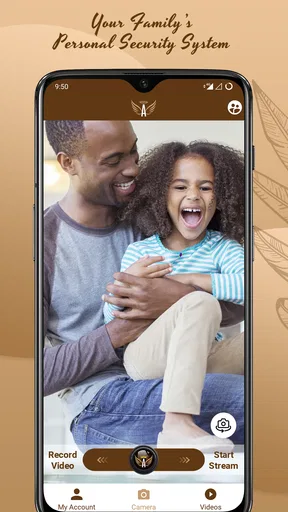
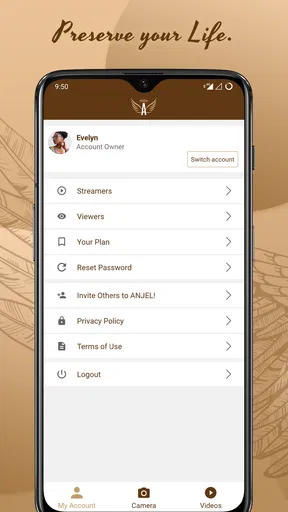
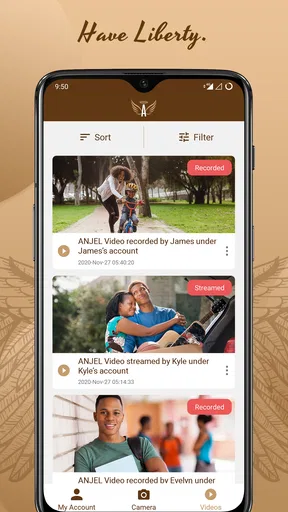
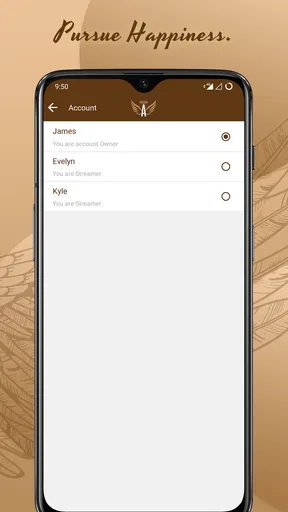
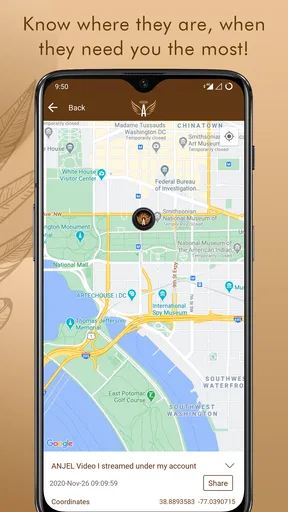
Our Review of ANJEL Tech
 Analysis by Appyee
ANJEL Tech is a family-focused communication app from PLURIBUS Inc. that aims to turn a phone into a more deliberate personal security tool. I approached it less like a social network and more like something a household could keep ready for ordinary moments: a child arriving home, a relative needing a quick way to reach family, or several people wanting a shared point of contact when plans change.
That distinction matters. Many communication apps are designed around constant conversation, public profiles, media sharing, or large communities. ANJEL Tech feels better suited to people who want communication to support a safety routine rather than become another stream of notifications. It is free to install, intended for Everyone, and available on Android devices running version 6.0 or later. The current version is 1.1.9, so it is accessible to users with older phones as well as newer hardware.
My overall impression is positive but measured. The app has a clear purpose and can be useful when a family agrees in advance on how to use it. It is less compelling if you expect a full replacement for every familiar messaging, location, or emergency service. Its real value comes from turning a shared habit into a dependable contact point, not from trying to be the most feature-packed communication platform on a phone.
Building a dependable family communication routine
The best way to start with ANJEL Tech is to avoid treating installation as the finished setup. A security-oriented app only helps when the people who may need it know what to do before a stressful situation occurs. I would begin by deciding which family members should use it, what kinds of situations justify opening it, and which ordinary conversations should remain in a standard messaging app.
That small discussion prevents a common problem: everyone has the app, but nobody has a shared expectation. For example, a household might decide that routine schedule changes stay in its usual chat, while ANJEL Tech is reserved for reaching family quickly or communicating when personal safety is the main concern. The exact routine is up to the household, but agreeing on one makes the app easier to use under pressure.
A realistic example would be a teenager traveling home after an evening activity. Instead of sending several scattered messages across different services, the family can use the agreed communication path in ANJEL Tech. The important benefit is not merely having another icon on the home screen. It is reducing hesitation: the teenager knows where to go, and the parent knows where to look.
I also think the app makes more sense for families with mixed levels of technical confidence. An older relative may not want a complicated social platform, while a younger user may already be comfortable with several communication tools. Keeping ANJEL Tech tied to a narrow purpose can make it easier to explain than a broad app filled with channels, public content, and optional features.
That said, I would not make it the only communication method for a household. Normal phone calls and established messaging services still have an important role, especially when someone outside the family needs to be contacted or when a person does not use the app. ANJEL Tech works best as one part of a plan, with a simple backup such as a phone call and a clearly known emergency procedure.
The app’s store summary presents it as a family personal security system, and that description gives a useful clue about the right mindset. I would not judge it by the standards of a general-purpose chat app. Instead, I would ask whether it helps the people around me communicate more intentionally. For a family willing to establish that habit, the answer can be yes.
Who benefits most from the focused approach
ANJEL Tech is a good fit for households that want a dedicated communication space rather than another entertainment-oriented platform. Parents coordinating with children, relatives checking in with one another, and small family groups that prefer a defined routine may appreciate that focus. It can also suit people who find large social apps distracting or uncomfortable.
The app is less suitable for a user looking for a complete replacement for a mature messenger. If your priority is extensive media sharing, broad group collaboration, business communication, or a large network of contacts, a conventional messaging service may be more practical. Likewise, someone who rarely communicates with family through a smartphone may gain little from adding a separate tool.
There is also a human limitation that no interface can solve. If one family member ignores notifications, forgets the agreed workflow, or does not keep the app available, the security value drops sharply. I would make a short practice run part of the setup: open the app together, explain when it should be used, and confirm that everyone knows the backup plan.
Settings to examine before relying on it
Experienced use begins with checking the app’s available settings rather than immediately accepting every default. I would pay particular attention to notification behavior, because a security-focused communication tool is only useful if important messages are noticed. At the same time, excessive alerts can make people mute the app, which defeats the purpose.
My practical approach would be to keep alerts distinct from ordinary social notifications. If the phone allows notification categories or priority controls for the app, I would use them to make ANJEL Tech easier to recognize without turning every minor event into an interruption. I would then test the result at a convenient time instead of discovering during a real need that alerts are silent or buried.
Battery and background behavior are worth considering as well. I would check whether the phone’s power-saving settings are restricting ANJEL Tech and whether the app remains available after the device has been idle. I am not suggesting that every phone behaves the same way; Android manufacturers often handle background activity differently. The useful habit is to verify the app on the specific phones your family actually carries.
Privacy choices deserve a calm conversation before the app becomes part of daily life. Each user should understand who is expected to communicate through it and what information they are comfortable sharing within the family group. A safety tool should not become an excuse for unnecessary monitoring or constant checking. Clear boundaries make the arrangement more sustainable and reduce the chance that someone simply stops participating.
I would also check the account and device basics after installation. Make sure the intended family members can identify one another, that the app opens correctly, and that everyone knows how to return to the main communication screen. These are simple checks, but they are more valuable than experimenting with settings during an urgent moment.
The app is free to install, although in-app purchases range from $4.99 to $18.99 per item. I would review those purchase prompts carefully and decide whether the free experience already covers the household’s intended routine before spending anything. A paid option should solve a specific need for your family, not be treated as automatically necessary because the app has a security theme.
Small habits that make the workflow faster
The fastest users usually do not use more features; they remove uncertainty. I would place ANJEL Tech somewhere easy to reach, explain its purpose in one sentence, and keep the same routine across the family. A consistent location on the home screen is surprisingly useful when someone is distracted or in a hurry.
Another helpful pattern is to agree on concise messages. A short note that identifies the person, situation, and needed response is easier to understand than a long explanation sent in fragments. For example, a family might use a simple structure such as “arrived,” “delayed,” or “need a call,” followed by the relevant detail. This is not a special app feature; it is a communication discipline that makes the app more effective.
I would also avoid creating overlapping routines. If one person sends an update in ANJEL Tech, another in a standard messenger, and a third calls a different relative, the family may lose track of the latest information. Pick the primary channel for the situations the app is meant to handle, then use the backup method only when the first route is unavailable or someone does not respond.
A useful test is to rehearse the workflow when nothing is wrong. Ask each person to open the app, find the right conversation or contact area, and send a brief check-in. This reveals practical friction such as forgotten passwords, confusing contact names, muted alerts, or an older phone that needs attention. A rehearsal also gives less confident users a chance to ask questions without pressure.
For families with children, I would keep the instructions age-appropriate. The child does not need a lecture about every possible risk. They need to know when to use the app, what information to include, and what to do if nobody responds. For older relatives, a printed or handwritten reminder near the phone may be more useful than relying on memory alone.
These habits are where ANJEL Tech can feel more capable than its brief store wording suggests. The app becomes part of a repeatable process: open it for the agreed situation, send a clear update, wait for the expected response, and switch to the backup plan if necessary. That process is more dependable than simply installing the app and hoping its presence creates security by itself.
Where it should not replace familiar alternatives
Compared with ordinary SMS, phone calls, and mainstream messaging apps, ANJEL Tech has a narrower identity. A regular messenger is often better when you need to contact a wide range of people, exchange large amounts of media, or continue a long-running conversation. Phone calls remain preferable when tone and immediate back-and-forth matter more than written records.
On the other hand, a dedicated family-oriented tool can be easier to explain than a general social platform. It avoids asking a household to navigate unrelated feeds or public interactions just to reach one another. That focus is its main competitive advantage, but it also creates the central trade-off: the more specialized the app feels, the more important it is that everyone in the intended group adopts it.
I would not use ANJEL Tech as a substitute for local emergency services or a formal emergency response system. A family communication app can help people contact one another, but it should not be presented to children or vulnerable relatives as a guarantee of rescue, medical assistance, or continuous protection. The safest approach is to keep official emergency numbers and local procedures familiar as well.
It is also worth remembering that a communication app depends on the phone, its connection, its battery, and the user’s ability to interact with it. A charged phone and an agreed backup matter just as much as the app itself. I see this not as a criticism unique to ANJEL Tech, but as an important limit on what any mobile communication tool can promise.
Advanced use means knowing the boundaries
After the basic workflow is comfortable, I would resist the temptation to make the system unnecessarily complicated. Adding too many rules, duplicate channels, or constant check-ins can create alert fatigue. The strongest setup is usually the smallest one that everyone understands and follows.
One advanced habit is to review the routine after a real event or near-miss. Did the right person notice the message? Was the wording clear? Did anyone use the wrong channel? Were notifications too quiet or too frequent? These questions help refine the family process without assuming that more settings will automatically produce better results.
Another is to account for changing circumstances. A child may get a new phone, a relative may travel, or someone may switch to a device with different battery controls. Recheck the app after those changes rather than assuming the old setup carried over perfectly. The current release, version 1.1.9, should be kept in mind when troubleshooting, since updating can be a sensible first step if the device supports it.
The app’s audience rating of Everyone makes it approachable for a broad household, but that does not remove the need for adult guidance. Younger users still need clear rules about what personal details to share, when to ask an adult for help, and what to do if a message receives no response. The age label describes suitability; it does not create a family safety policy for you.
With an average rating of 3.8 from around 73 ratings and 31 written reviews, the public response suggests a mixed but reasonably favorable reception. I would treat that as a reason to test the app against your own family’s needs rather than as a final verdict. A communication tool can work very well for one household and feel unnecessary to another, depending on habits, devices, and expectations.
The installation base is over 10K, which indicates that ANJEL Tech has reached a real group of users while remaining much smaller than the biggest communication platforms. That smaller footprint may appeal to people seeking a focused tool, but it also means I would be more cautious about assuming that every friend, relative, or service provider already uses it. Its usefulness depends heavily on the specific family group you are trying to organize.
My verdict after looking at the complete workflow
I would recommend ANJEL Tech to a family that wants a dedicated communication routine and is prepared to discuss how that routine works. The app’s strongest quality is its focus: it encourages people to think about communication as part of personal security rather than as another general-purpose chat feed. That can make a meaningful difference when a household is otherwise scattered across several apps.
I would skip it if you want a universal messenger, a large social community, or a replacement for formal emergency services. I would also skip it if the people who need to use it are unlikely to install it, check it, or practice with it. In that situation, a familiar phone call or messaging service may be more reliable simply because everyone already knows how to use it.
For me, the deciding factor is not the number of options on the screen. It is whether the app helps a family settle on one clear action when plans change or someone needs attention. Set it up deliberately, check notifications on each device, keep the wording simple, rehearse the process, and maintain a backup method. Those steps turn a free communication app from a passive installation into a useful household habit.
ANJEL Tech is therefore best understood as a focused tool from PLURIBUS Inc., not a universal answer to every communication problem. Its free entry point makes testing straightforward, while the optional purchases mean you should evaluate any paid item against a specific need. If your family values a dedicated place for security-minded communication and can commit to using it consistently, I think it is worth trying.
Verdict
Strengths of ANJEL Tech
- Simple interface makes core features easy to find and use.
- Useful tools can help users manage everyday technical tasks efficiently.
- Lightweight design is suitable for devices with limited storage.
- Regular updates may improve stability and add useful functionality.
- Practical for users seeking a focused alternative to more complex apps.
Limitations of ANJEL Tech
- Some features may require an internet connection to work properly.
- Advanced users may find the customization options somewhat limited.
- Performance can vary depending on the device and Android or iOS version.
- The app may request permissions that users should review carefully.
- Support information may be limited if troubleshooting help is needed.
Similar Picks in This Category
View All
Google Messages
Google LLC4.6

Gmail
Google LLC4.1

Google Meet
Google LLC4.4

Google Chrome
Google LLC4.1

WhatsApp Messenger
WhatsApp LLC4.6

Carrier Services
Google LLC4.2
Frequently Asked Questions
What is ANJEL Tech and what can I use it for?
ANJEL Tech is a technology-focused application designed to provide users with access to digital tools, information, or services in one place. Its exact features may depend on the version and platform you install, so it is worth checking the official description before downloading. After installation, review the available sections and permissions to understand how the app fits your daily needs.
Is ANJEL Tech free to download and use?
ANJEL Tech may be available as a free download, but some features, services, or content could require payment, registration, or an in-app subscription. Before proceeding, check the app store listing for pricing details and any recurring charges. If the app includes optional purchases, review the terms carefully so you know what is included in the free version.
Is ANJEL Tech safe to install on Android or iOS?
The safest way to install ANJEL Tech is through the official Google Play Store or Apple App Store rather than from third-party websites. Before installation, check the developer name, recent reviews, update history, privacy information, and requested permissions. Avoid modified APK files or unofficial download links, since they may contain unwanted software or expose your personal information.
What permissions and personal information does ANJEL Tech require?
The permissions required by ANJEL Tech depend on the functions it provides. An app may request access to notifications, storage, camera, location, contacts, or account information, but each request should have a clear purpose. Read the privacy policy and permission prompts before accepting them. You can also deny unnecessary access or change permissions later in your device settings.
Will ANJEL Tech work on my device, and does it require an internet connection?
Compatibility depends on your device model, operating system version, available storage, and the current release of ANJEL Tech. Check the minimum Android or iOS requirements shown on the official store page before downloading. Some features may work offline, while account services, updates, synchronization, or online content generally require a stable internet connection, either through Wi-Fi or mobile data.
